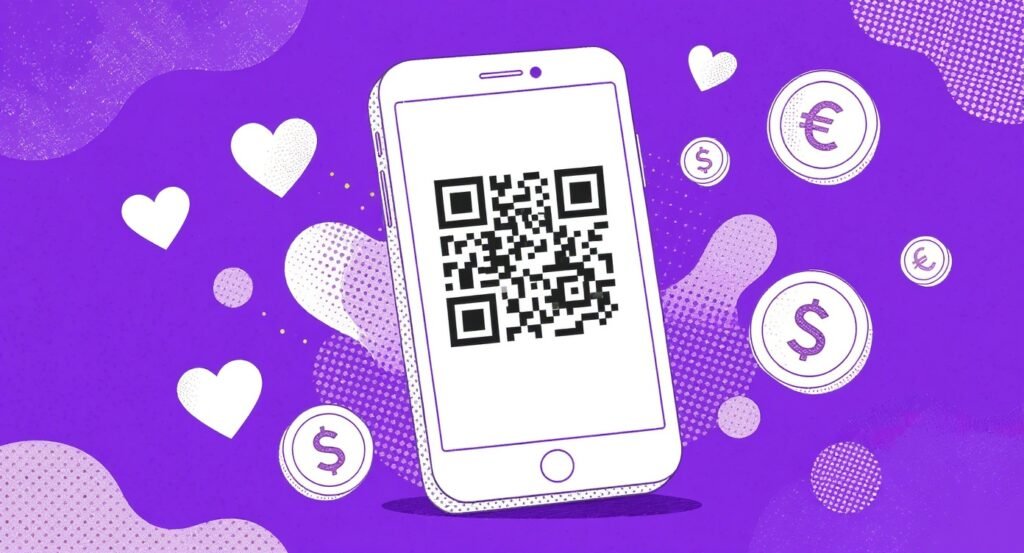
Live events have this magical quality that’s hard to replicate anywhere else. There’s something about being in a room full of people who care about the same mission that just moves you. But here’s the thing: that emotional momentum is fragile. If the path from “I want to give” to “I just gave” involves too many steps, you’ve lost the moment. QR codes, when used thoughtfully, close that gap almost instantly.
In this post, we’re doing a deep dive into eight practical ways to sharpen your QR code donation strategy at live events. From smart placement and mobile-first design to real-time tracking and post-event follow-up, you’ll walk away with a clearer picture of what actually works and what quietly kills your conversion rate before you even know it.
1. Place QR Codes Where the Energy Is
A QR code tucked on the back page of a printed program won’t cut it. You need strategic, high-traffic placement at eye level throughout the venue: event banners, table centerpieces, nametag lanyards, auction paddles, and even cup stickers (nptechforgood.com, bitly.com). Think of your QR codes as silent fundraisers working every corner of the room.
And don’t stop at just one code. Deploy location-specific QR codes: one near the entrance tied to a welcome donation ask, one mid-event linked to a matching gift challenge, and one at the exit connected to a recurring giving page. Each code tracks independently, giving you data on which zones drive the most revenue.
Protip: Print QR codes on exit signage with a message like “Leaving inspired? Lock in your impact before you go.” Exit scans often capture donors who were on the fence all evening.
2. Design for Emotion and Clarity
Your QR code should never sit alone on a white background. Surround it with mission-impact visuals, bold colors, and a crystal-clear call-to-action. Something like “Scan to Feed a Family Today” outperforms a generic “Donate Here” every single time (qr-insights.com). It’s a small copy tweak with a real effect on behavior.
Keep codes at least 2×2 inches for readability in dim gala lighting or outdoor settings. Use high-contrast color combinations, and test them under actual venue conditions before the big day. What looks great in a bright conference room can become nearly invisible in candlelit ballroom lighting.
3. Build Frictionless, Mobile-First Donation Flows
The page your QR code links to matters just as much as the code itself. Link to a mobile-optimized donation form with pre-filled fields, suggested gift amounts tied to event context (say, $50 for general attendees and $250 for table sponsors), and one-click payment options like Apple Pay or Google Pay (nptechforgood.com, qr-insights.com). If someone has to pinch-zoom or type in their card number manually, you’re losing them.
Funraise lets you generate QR codes directly for campaign sites and donation forms, built for a smooth experience on any smartphone. If you haven’t explored their free tier yet, it’s a zero-commitment way to test high-converting mobile donation pages before your next event.
Protip: Run a “dress rehearsal” scan test with five volunteers on different devices under event-like conditions: low light, crowd noise, spotty Wi-Fi. If the page takes more than two seconds to load, optimize before showtime.
| Placement | Visibility | Scan Rate Potential | Best For |
|---|---|---|---|
| Banners and Backdrops | High (distant views) | 3-5% of passersby | Keynote and welcome moments |
| Table Centerpieces | Medium (seated groups) | 8-12% per table | Dinner conversation momentum |
| Nametags and Cups | Personal (close range) | 15-20% of wearers | Networking and mingling |
| Auction Paddles | High (targeted audience) | 25%+ of bidders | Competitive bidding energy |
(Scan rate estimates via bitly.com)
4. Track Performance in Real Time
Embedding analytics into your QR codes lets you monitor scans, device types, locations, and conversion rates on a live dashboard (qr-insights.com, qrcodefordonation.com). This isn’t vanity data. It’s actionable intelligence. If you notice the bar area is generating far more scans than the registration table, you can redirect volunteer energy and signage mid-event. That kind of responsiveness is what separates a good event from a great one.
Funraise users see 50% donation form conversion rates and 73% annual online giving growth (funraise.org), which speaks to what’s possible when analytics are actually informing decisions rather than sitting untouched in a dashboard no one checks.
5. Use Dynamic Codes to Shift Messaging on the Fly
Dynamic QR codes let you change the destination URL without reprinting a single sign. During the welcome reception, codes link to a general donation page. When the matching gift challenge kicks off, those same codes redirect to a match-specific landing page with a countdown timer (nptechforgood.com). One food bank used this approach to drive event donations up 127% to $67,500, with 68% of gifts coming through QR codes (qr-insights.com).
Protip: Segment your dynamic links by audience. VIP badge codes link to major gift asks, while general attendee codes offer a volunteer signup plus a donate option. Personalization at scale, no extra printing required.
Ready-to-use AI prompt for your next event:
I'm planning a [EVENT TYPE] for a nonprofit focused on [MISSION AREA] with an expected attendance of [NUMBER]. Our average donation at past events was [DOLLAR AMOUNT]. Create a QR code placement plan with specific messaging for each location, suggested donation amounts, and a timeline for switching dynamic QR destinations throughout the event.
Drop this into ChatGPT, Gemini, Claude, or whichever AI tool you actually use. It’ll save you hours of planning. That said, for day-to-day fundraising work, look for solutions like Funraise that have AI components built directly into the platform where you’re already working, so you get the full operational context without the copy-paste dance.
6. Gamify the Giving Experience
Tie QR scans to auctions, raffles, and live leaderboards displayed on event screens. Scanning enters donors into a prize drawing while showing real-time fundraising totals that fuel genuinely competitive generosity (positiveequation.com). One unconventional approach worth testing: AR-enhanced QR codes that reveal 3D impact stories or let donors take selfies in mission-related contexts they can share on social media, turning every scan into potential organic reach. Tested events have seen participation jump 34% with gamified QR integrations (qr-insights.com).
What Goes Wrong Before Nonprofits Get This Right
After working with thousands of nonprofit leaders, certain patterns show up again and again. Let’s name them directly.
- the “one QR code for everything” trap: a single code on a back table linking to a generic homepage with no tracking. Leadership wonders why QR “didn’t work” when the real problem was zero strategy behind placement and destination,
- skipping the mobile test: the donation page looks beautiful on a desktop browser, but on a phone in a dimly lit ballroom with event Wi-Fi, it takes eight seconds to load and requires 11 fields. Donors abandon before the first dollar,
- no follow-up plan: the event generates 200 QR scans and 85 donations, then nothing. No thank-you email, no impact report, no recurring ask. Those 85 donors quietly disappear.
These aren’t edge cases. They’re the norm for organizations that treat QR codes as a novelty rather than a strategic channel. If any of these sound familiar, you’re not alone, and each one is fixable with the approaches covered here.
“The best fundraising technology disappears into the donor experience. When someone scans a QR code and completes a gift in under ten seconds without thinking about the technology, that’s when you know your strategy is working.”
Funraise CEO Justin Wheeler
7. Close the Loop with Post-Event Follow-Up
The event ends, but the relationship shouldn’t. Include QR codes in swag bags, printed receipts, and digital recap emails that link to personalized thank-you pages, impact reports, or monthly giving sign-ups (qr-insights.com). Organizations using this approach have retained 78% of new QR donors long-term (qr-insights.com). That’s a number worth paying attention to.
Use scan data to segment your follow-up: high-dollar donors receive a personal video message and VIP event invitation, while first-time scanners enter a nurture email series. Funraise’s automation tools make this kind of scan-triggered follow-up seamless, and you can start exploring the platform for free.
Protip: Send an automated SMS within 60 minutes of a QR donation: “Thank you for your $100 gift tonight! Want to double your impact? Tap here to make it monthly.” Immediacy drives recurring conversion.
8. Prioritize Accessibility, Testing, and Trust
Make sure every QR code meets ADA accessibility standards: high-contrast design, large print size, and a fallback short URL or text-to-give number for attendees who can’t or won’t scan (nptechforgood.com). Offer multilingual landing pages for diverse community events, and ensure all payment processing is PCI-compliant. Reliable, trustworthy QR paths drive 40% more donor engagement (qr-insights.com), and the trust piece matters more than most organizations realize.
The opportunity here is real and growing. Whether you’re planning a 50-person community dinner or a 2,000-seat gala, a thoughtful QR code strategy turns every attendee’s phone into a direct line to your mission. Starting small, measuring everything, and iterating is what actually moves the needle. And if you need a platform that makes all of this easier from day one, give Funraise a try at no cost.
About the Author

Fundraising Gala Ideas for Small-Town Nonprofits Running Six-Figure Events
Small-town nonprofits have something that big-city fundraisers spend thousands trying to manufacture: genuine community. When people already know and trust each other, when a familiar face can walk into a room and inspire a $1,000 paddle raise just by sharing a story, that's not a small thing. That's the whole thing. So let's dig into…
Nonprofit Fundraising Strategy for Community Orgs: Local-First Tactics That Scale
Community organizations have a superpower that big national nonprofits simply can't replicate: neighbors. Real, actual neighbors who've seen your work, felt its impact, and want to be part of something meaningful in their own backyard. But turning that goodwill into sustainable funding? That's where a lot of orgs get stuck. So let's figure it out…
Best Nonprofit CRMs to Power Small Community-Based Organizations
Small community-based organizations run on passion, local trust, and shoestring budgets. Between coordinating volunteers for a weekend food drive and thanking the neighbor who just made a $25 recurring gift, your team barely has time to breathe, let alone wrestle with clunky software. The right nonprofit CRM changes that equation entirely, centralizing donor data, automating…