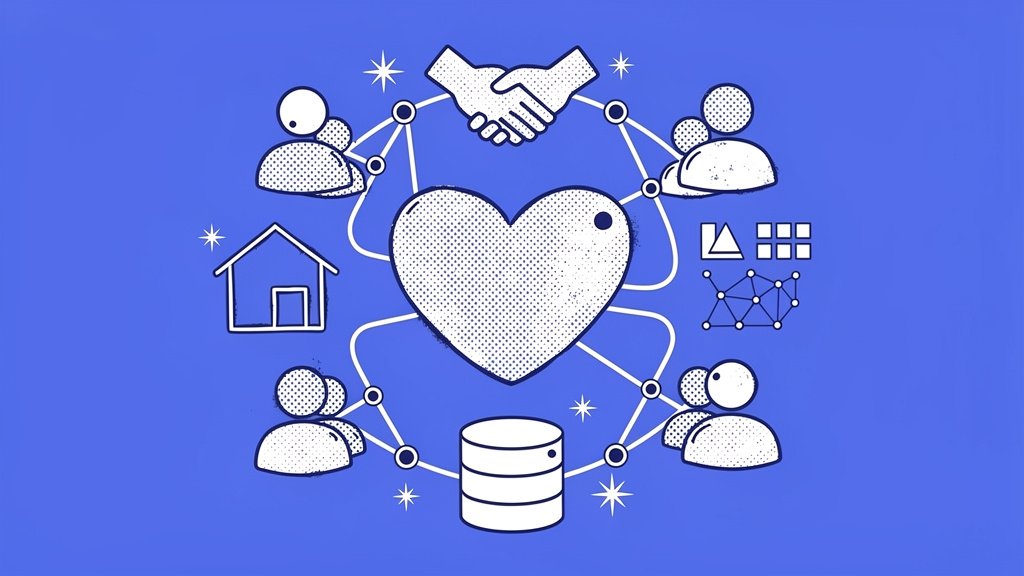
Small community-based organizations run on passion, local trust, and shoestring budgets. Between coordinating volunteers for a weekend food drive and thanking the neighbor who just made a $25 recurring gift, your team barely has time to breathe, let alone wrestle with clunky software. The right nonprofit CRM changes that equation entirely, centralizing donor data, automating follow-ups, and revealing the giving patterns that help you deepen community ties.
In this post, we’re doing a deep dive into the CRM options that actually make sense for small orgs, the ones with fewer than 10 staff members and budgets that don’t have a lot of wiggle room. We’ll walk through a side-by-side comparison, share some real patterns we’ve seen play out over the years, and give you a practical rollout plan you can steal. Let’s get into it.
Why a Dedicated CRM Matters for Grassroots Fundraising
Here’s the thing about spreadsheets: they’re where donor relationships go to die. Manual tracking leads to missed thank-you emails, duplicated records, and zero visibility into who’s most likely to give again. A purpose-built, affordable donor management tool solves these problems by doing three things at once:
- Centralizing every interaction so the volunteer who staffed Saturday’s cleanup and the monthly donor who gives $15 live in the same searchable database,
- automating stewardship with triggered emails, SMS reminders, and recurring gift nudges, so your two-person team operates like a full development department,
- surfacing insights through dashboards that show retention rates, lifetime value, and lapsed-donor alerts, enabling targeted outreach that can increase retention by 20 to 30 percent (liveimpact.org).
And the landscape is shifting fast. A striking 92% of nonprofits now use AI in some capacity (virtuous.org), often embedded directly in modern CRMs for donor segmentation and personalization. Small teams that jump on these tools tend to punch well above their weight, and that’s a pretty exciting place to be.
Protip: Before you evaluate any platform, export your current donor list into a clean CSV. Most CRMs can import it in under an hour, which means you can run a real test with real data during a free trial instead of just guessing whether the tool fits.
Top CRM Picks: A Side-by-Side Comparison
Which platforms actually hold up for community groups with revenue under $1M? We’ve pulled together a focused comparison below, covering both free and affordable paid options that small orgs can realistically use.
| CRM | Starting Price | Key Strengths | Best For | Watch Out For |
|---|---|---|---|---|
| Funraise | Free Essentials ($0/mo); Premium $99/mo | CRM + donation forms with 50% conversion rate (funraise.org), recurring gift upgrades, AI-driven insights | Online giving paired with community engagement | P2P and auction tools require Premium tier |
| Givebutter | Free (optional Plus upgrade) | All-in-one CRM, events, peer-to-peer, unlimited contacts | Event-heavy community groups | Advanced analytics locked behind paid tier |
| Zeffy | 100% free | Donations, events, donor management bundled with zero processing fees | Zero-budget startups | Fewer enterprise-level integrations |
| Little Green Light | $45/mo for up to 2,500 contacts (kindsight.io) | Clean donor records, simple reporting, no user limits | Budget-focused donor tracking | No built-in fundraising pages |
| Bloomerang | ~$125/mo record-based (stratuslive.com) | Donor retention scoring, wealth screening, automated stewardship | Growing donor bases focused on retention | Cost climbs as contact list grows |
| HubSpot CRM | Free (up to 1M contacts) | Marketing automation, AI assistant, robust integrations | Multi-channel communications | Requires nonprofit-specific customization |
Funraise users grow online revenue 3x faster and see recurring revenue increase 52% annually on average (funraise.org), making it a standout for orgs that want to bring offline community energy into a digital giving strategy. Plus, there’s a genuinely free tier with no commitment, so you can start testing today without any pressure.
What We See Every Day: Common CRM Struggles
After more than a decade of working alongside nonprofit leaders, we’ve noticed certain patterns come up again and again. See if any of these sound familiar:
- The “we outgrew our spreadsheet six months ago” moment. A community org tracks 400 donors in Google Sheets, misses a major donor’s lapsed anniversary, and only discovers the gap when year-end revenue drops. Migrating to a CRM with automated lapse alerts can fix this practically overnight,
- duplicate record chaos. Two volunteers enter the same donor’s name differently at two separate events. Without merge-and-match tools, your database fills up with phantom contacts and your email metrics stop meaning anything,
- fear of the learning curve. A board pushes for a new system, but the executive director, already working 60-hour weeks, puts off onboarding for months because the platform feels overwhelming. In our experience, phased rollouts help break that paralysis: import first, automate second, campaign third.
These aren’t edge cases. They’re the daily reality for small organizations, and they’re exactly why picking a CRM built for nonprofits rather than one retrofitted from a sales platform matters so much.
A Prompt You Can Use Right Now
Want to fast-track your CRM evaluation? Copy the prompt below and paste it into ChatGPT, Gemini, Claude, or whichever AI tool you use daily. It’ll generate a customized shortlist and action plan in seconds.
I run a small community-based nonprofit in [YOUR STATE] focused on [YOUR MISSION AREA, e.g., youth mentoring, food security]. We have [NUMBER] donors in our database and a monthly software budget of [DOLLAR AMOUNT]. Using publicly available reviews and feature lists, recommend the top 3 nonprofit CRM platforms for our size, and for each one outline a 30-day onboarding plan. Include a step where we test an all-in-one fundraising software for nonprofits like Funraise.org alongside our top pick to benchmark donation form conversion rates and recurring gift features.When you’re looking for day-to-day solutions, platforms like Funraise, which embed AI directly inside the tool where you already manage donors and campaigns, tend to outperform setups where you’re constantly toggling between disconnected apps. Built-in AI with full operational context wins every time.
Feature Deep Dives: Three Approaches to Choosing
Not every org evaluates software the same way, and that’s perfectly fine. Here are three lenses to consider depending on what’s keeping you up at night:
The “Budget-First” Lens. If every dollar matters (and when doesn’t it?), start with Funraise Essentials, Zeffy, or Givebutter’s free tier. Test whether free covers your needs before spending anything. Zeffy’s model eliminates processing fees entirely through optional donor tips, which is genuinely rare in the market.
The “Retention-First” Lens. If donor churn is your biggest headache, Bloomerang’s engagement scoring and Funraise’s recurring gift upgrade prompts are worth testing head-to-head. One approach worth considering is using built-in wealth screening quarterly to flag potential major donors before your next community gala.
The “Events-First” Lens. If your calendar revolves around cleanups, fun runs, and potluck fundraisers, Givebutter’s integrated ticketing and peer-to-peer tools are hard to beat. Nonprofit folks on Reddit frequently praise its event workflow for exactly this reason (reddit.com/r/CRM).
Protip: Run a 30-day A/B test. Use one CRM for your next online campaign and compare conversion rate, average gift size, and time spent on admin against your current process. Hard numbers end internal debates fast.
“Digital maturity is no longer optional for nonprofits of any size. The organizations that invest in the right technology stack today will be the ones leading their communities tomorrow.”
Funraise CEO Justin Wheeler
A Phased Rollout That Actually Works
Jumping into a new CRM all at once is a reliable recipe for burnout. Instead, here’s a four-phase timeline you can actually follow:
Week 1: Foundation. Import your donor CSV, clean up duplicates, and set up basic donor profiles with tags for neighborhood, event attendance, and giving level.
Week 2: Automation. Build one automated email sequence: a thank-you triggered by any new gift. That single workflow alone saves hours every month.
Month 1: Campaign. Launch a small peer-to-peer or event campaign inside the CRM and track results in the built-in dashboard rather than a separate spreadsheet. Yes, that means closing the spreadsheet. You can do it.
Ongoing: Review. Block 30 minutes monthly to check your retention rate and top donor segments. Let the data guide your outreach rather than your gut alone.
Funraise case studies show organizations like the Innocence Project raising millions online through this kind of integrated, phased approach (funraise.org).
Protip: Schedule an annual CRM audit every January. Export a backup, review whether your current tier still fits, and explore new features released in the past year. Funraise supports seamless data imports if you ever decide to switch.
Future-Proofing Your Choice
The CRM landscape for budgets under $100 per month looks very different today than it did even two years ago. AI-powered forecasting, mobile-first designs built for community canvassing, and unlimited-user pricing are becoming standard rather than premium perks. When evaluating platforms heading into 2026, it’s worth prioritizing scalability, think API access and unlimited contacts, alongside native AI features that actually learn from your specific donor base.
The nonprofit CRM market continues to grow, driven by digitization demands across organizations of every size (linkedin.com). Small community groups that get comfortable with these tools now will be ahead of peers who keep waiting for the “perfect” time to make a move.
Your community already trusts you. Give your team the tools to honor that trust at scale. Start with a free CRM tier, test it with real data, and let the results guide your next step. Funraise’s free Essentials plan is a genuinely zero-risk place to begin.
About the Author

Fundraising Gala Ideas for Small-Town Nonprofits Running Six-Figure Events
Small-town nonprofits have something that big-city fundraisers spend thousands trying to manufacture: genuine community. When people already know and trust each other, when a familiar face can walk into a room and inspire a $1,000 paddle raise just by sharing a story, that's not a small thing. That's the whole thing. So let's dig into…
Nonprofit Fundraising Strategy for Community Orgs: Local-First Tactics That Scale
Community organizations have a superpower that big national nonprofits simply can't replicate: neighbors. Real, actual neighbors who've seen your work, felt its impact, and want to be part of something meaningful in their own backyard. But turning that goodwill into sustainable funding? That's where a lot of orgs get stuck. So let's figure it out…
Online Fundraising for Nonprofits in Community-Focused Towns: A Local Playbook
Chances are, if you're running a nonprofit in a close-knit community, you've already done the hardest part. You've built real trust with real people. They know your name, your mission, and the families you show up for every single day. What's often missing isn't heart or hustle. It's a clear, practical bridge between the relationships…