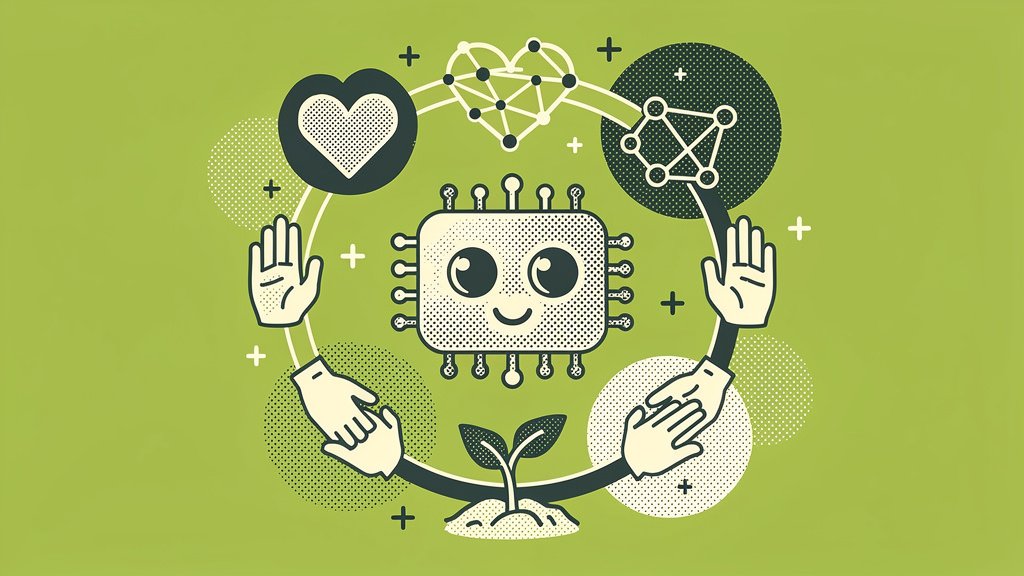
Running a nonprofit on a tight budget has never been easy, but here’s the thing: in 2026, “bootstrapped” doesn’t have to mean “under-resourced.” The AI landscape has quietly matured into something genuinely useful for small orgs, and a surprising number of the best tools won’t cost you a cent. No credit card required, no enterprise contract to sign.
So, let’s dig into this together. In this post, we’re walking through ten free AI tools that can realistically help your nonprofit handle everything from fundraising copy and donor management to event graphics and data tracking. We’ve also put together a ready-to-use prompt you can steal today, plus some honest observations about where we see things go sideways when nonprofits first start building out an AI toolkit.
Why AI Levels the Playing Field for Small Nonprofits
Small community orgs are often competing for donor attention against nonprofits with six-figure marketing budgets. That gap is real, and it stings. But AI is closing it in ways that would’ve felt a little sci-fi even five years ago. Nonprofits report that AI has boosted their fundraising revenue (State of Nonprofit Digital Engagement Report), recurring gifts now drive a significant chunk of online revenue (Funraise Fundraising Intelligence data from 25M+ gifts), and donor retention across the industry has dipped below 50% (AFP via Funraise). At that point, smart engagement isn’t a luxury. It’s closer to a survival strategy.
That said, not every free tool is worth your time, and stitching together a dozen disconnected apps creates its own headaches. One approach worth knowing about early is Funraise, which bakes AI directly into its fundraising platform through something called Fundraising Intelligence. It’s got a free tier, and it gives you donor insights and revenue predictability right inside the workflow where you’re already doing the work. We’d suggest testing it before you go building a Frankenstein stack of standalone tools, but more on that in a moment.
Quick-Glance Comparison Table
Before we get into the details, here’s a scan-friendly table so you can jump straight to whatever’s most relevant for your biggest pain point right now:
| Tool | Core Free Features | Best Nonprofit Use Case | Key Limitation |
|---|---|---|---|
| Funraise | Free tier with AI-backed Fundraising Intelligence, donation forms, donor CRM | End-to-end fundraising and donor retention | Advanced features in premium tier |
| ChatGPT | GPT-3.5 chats, content generation, brainstorming | Donor emails, grant drafts, volunteer scripts | Usage caps on free tier |
| Google Gemini | AI in Docs, Sheets, Gmail; image generation | Campaign planning, report summaries | Requires Google for Nonprofits signup |
| Canva Magic Studio | Background remover, text-to-image, auto-designs | Event flyers, social graphics | Premium templates watermarked |
| Buffer | 10 scheduled posts, 3 channels, AI captions | Social media engagement | Limited analytics |
| HubSpot CRM | Contact management, email tracking, forms | Donor tracking basics | 2,500 contacts max |
| Trello | Boards with AI Butler automations | Volunteer coordination, event planning | Power-ups limited on free plan |
| Notion AI | Q&A on notes, summaries, brainstorming | Internal knowledge base | 20 AI responses/month |
| Airtable | Bases with AI summarizer | Grant tracking, volunteer scheduling | 1,200 records per base |
| Otter.ai | 600 min/month transcription | Board meeting notes | No advanced exports |
The Breakdown: 10 Tools Worth Your Time
1. Funraise: AI-Powered Fundraising Hub
What makes Funraise different from the other tools on this list is that its AI layer lives inside the fundraising workflow itself, not in a separate tab you have to remember to open. The free tier includes donation forms, a donor CRM, and access to AI-backed Fundraising Intelligence that surfaces trends from one of the sector’s largest gift datasets. For a bootstrapped nonprofit trying to predict revenue and keep donors coming back, that’s a meaningful head start.
Protip: Use Funraise’s built-in donor insights to spot at-risk supporters before renewal season hits. Organizations using AI-backed forecasting are seeing stronger retention numbers even as the industry average slips below 50% (AFP via Funraise).
2. ChatGPT: Your Versatile Content Partner
Honestly, if you’re not already using ChatGPT for the wordy stuff, you’re leaving time on the table. The free tier handles brainstorming campaign angles, drafting donor thank-you emails, writing volunteer recruitment scripts, and a whole lot more. Nonprofits adapting it for admin tasks report saving 5+ hours per week on email drafts alone (Jotform). That’s a real afternoon back in your week.
3. Google Gemini: The Workspace Powerhouse
If your org already lives in Google Workspace, Gemini is a pretty obvious next step. It generates email responses, summarizes long grant reports, and assists with data analysis without ever making you leave Gmail or Docs. And here’s the kicker: eligible nonprofits can access Workspace for up to 2,000 users at no cost through Google for Nonprofits.
Protip: Sign up for Google for Nonprofits first. Beyond Gemini, this also unlocks NotebookLM, which can turn lengthy program reports into podcast-style audio briefings you can actually share with your board. Weirdly useful.
4. Canva Magic Studio: Visual Storytelling on Zero Budget
No designer on staff? No problem. Canva’s free Magic Studio includes text-to-image generation, auto-design suggestions, and a background remover that make polished event flyers and social graphics accessible to literally any team member. It’s the kind of tool that makes you feel like you’ve cheated a little (in the best way).
5. Buffer: Social Scheduling with AI Captions
Buffer’s free plan lets you schedule 10 posts across 3 channels with AI-generated captions, which is genuinely enough to maintain a consistent presence if you’re sharing local impact stories. Plus, nonprofits qualify for a 50% discount when it’s time to upgrade.
Protip: Export your Canva designs directly into your Buffer queue. That one small connection keeps your visual branding consistent across every channel without any extra manual steps.
6. HubSpot CRM: Donor Relationships at Scale
HubSpot’s free CRM covers contact management, email tracking, forms, and even live chat bots with no cap on users. It’s a solid starting point for teams that haven’t yet moved to a dedicated fundraising platform. Think of it as a relationship foundation you can build on.
7. Trello: Project Management with AI Smarts
Trello’s free boards use AI-powered Butler automations to trigger reminders for volunteer shifts, flag overdue tasks, and move cards across workflows automatically. You get unlimited boards and 10 automations per board, which goes further than you’d expect once you start using it.
Protip: Add the free Planyway power-up for calendar views, then link your boards to your Google Workspace calendar so hybrid teams see everything in one place. Fewer “wait, when was that?” moments in your Slack.
A Prompt You Can Use Right Now
Here’s a ready-to-use prompt you can copy straight into ChatGPT, Gemini, Claude, or whichever AI you’ve got open in another tab. Just swap in your own details:
I run a nonprofit called [Organization Name] focused on [Mission Area] in [City/Region]. Our annual fundraising budget is approximately [Dollar Amount]. Recommend a free AI tool stack I can implement this month to improve donor retention and local engagement. Also suggest how a professional all-in-one platform like Funraise.org could complement these free tools as we scale.
A quick note on workflow: standalone tools are genuinely useful, but in our experience, day-to-day nonprofit work gets a lot smoother when AI lives directly inside where you execute tasks. Constant app-switching adds up, and platforms like Funraise solve that by keeping everything in one place with full operational context.
8. Notion AI: The All-in-One Internal Workspace
Notion’s free plan with AI lets you summarize meeting notes, brainstorm campaign ideas, and build searchable resource hubs for your whole team. The 20 free AI responses per month sounds like a small number, but it’s honestly enough for solid weekly planning sessions.
Protip: Build a single “Institutional Knowledge” database in Notion where every grant application, board decision, and campaign debrief lives. AI-powered Q&A turns it into a self-service resource for new staff and volunteers, which is a gift to your future self.
9. Airtable: Data Without the Spreadsheet Headache
Airtable’s free tier with AI summarization handles grant tracking, volunteer scheduling, and donor data views for up to 1,200 records per base. Its low-code interface means anyone on your team can build custom dashboards without a tutorial marathon.
10. Grammarly Free: The Last Line of Defense
Every donor appeal and grant proposal deserves clean, polished prose. Grammarly’s free plan offers unlimited grammar checks and tone detection, helping you find the right balance between professional and warm in every piece of communication you send out. Simple, reliable, quietly essential.
What We See Go Wrong (Before and After the Switch)
After a decade of working alongside nonprofit leaders, a few patterns show up again and again. We’re sharing these not to lecture, but because we’ve watched good organizations stumble on the same rocks:
- the “Frankenstein Stack” problem. A development director is juggling seven disconnected free tools, manually copying donor names between tabs. Data falls through the cracks, a major donor gets a generic thank-you, and the relationship quietly cools. Consolidating into a platform like Funraise with native AI eliminates that duct-tape workflow,
- analysis paralysis over AI. A board insists on an “AI strategy document” before anyone’s allowed to test a single tool. Months pass, nothing ships. The practical move? Pick one tool from this list, run a two-week pilot, and report back. Momentum beats perfection every time,
- ignoring retention in favor of acquisition. Teams pour energy into finding new donors while existing supporters quietly lapse. With industry retention below 50% (AFP via Funraise), even basic AI-driven alerts flagging at-risk donors can protect more revenue than a shiny new campaign ever could.
“The nonprofits that will thrive in 2026 are the ones that stop treating AI as a side project and start embedding intelligence directly into their fundraising workflows, where context already lives.”
Funraise CEO Justin Wheeler
The “Mission Multiplier” Stack: Putting It All Together
Rather than treating these as isolated apps, the real magic happens when you layer them into a single workflow loop. Here’s one way to think about it:
- Ideate with ChatGPT (campaign angles, email copy),
- Analyze with Gemini and Airtable (donor data, grant tracking),
- Create with Canva and Buffer (visuals, scheduling),
- Track with HubSpot and Otter.ai (contacts, meeting notes),
- Centralize fundraising with Funraise (donations, retention insights, AI intelligence).
Test one segment per week. Within a month, you’ll have a functioning AI-assisted operation that costs nothing but time and positions your nonprofit to scale with real confidence.
Protip: Audit your donor data quarterly using Gemini or Airtable summaries. Pair those insights with Funraise’s Fundraising Intelligence to catch retention dips early and act before your year-end campaigns kick off.
Ready to see how AI-backed fundraising actually works in practice? Funraise offers a free tier with no commitments. Start there, layer in the tools above, and give your community the nonprofit it deserves.
About the Author

Is Givebutter really free to use? What small nonprofits pay in practice and what alternatives are there
If you've spent any time poking around donation platforms, you've probably run into the claim that Givebutter is "100% free." It's a tempting pitch, especially when you're a small nonprofit watching every dollar leave the building. But here's the thing: the real answer has more layers to it than that headline suggests, and understanding those…
Top Bloomerang Alternatives for Small Community Nonprofits on a Tight Budget
The Bloomerang quote gave you pause. Here is the honest comparison for a small community nonprofit, including where the cheaper answer is the right one.
Best free donor management software for nonprofits (and when to upgrade)
Look, small nonprofits don't need the fanciest CRM on the market. What you actually need is somewhere to store donor records, log gifts, fire off thank-yous, and get the full picture of who's supporting you, without adding a line item your board has to sign off on. Good news: a handful of free donor management…