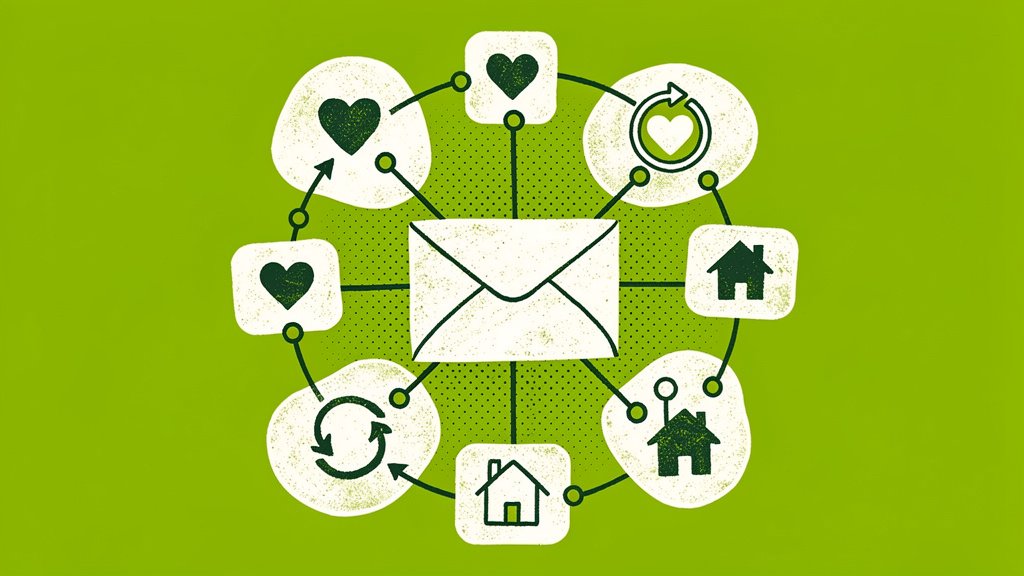
Email automation might sound like something reserved for large organizations with sprawling marketing departments and subscriber lists in the tens of thousands. But here’s the thing: it’s genuinely one of the most accessible tools available to nonprofits of any size, including yours. Whether you’re working with 200 or 500 subscribers, the right setup can deepen donor relationships, bring in more consistent giving, and quietly handle all the repetitive communication tasks that eat into your week.
In this post, we’re going to walk through the automations that matter most for small community nonprofits, which platforms actually fit your budget, how segmentation works even on a tiny list, and a practical 30-day plan to get you moving. No marketing degree required.
Why Email Automation Matters for Smaller Nonprofits
Your email list is one of the few communication channels you actually own. Social media algorithms shift, paid ads drain budgets, but your subscriber list? That’s yours. And it turns out, 86% of nonprofits use email as their primary outreach tool, with 48% of donors preferring email updates over any other channel, more than double the next closest option (Salesso). So even a modest list carries real potential.
You don’t need thousands of subscribers to make this work. In our experience, consistent and thoughtful automated communication with even a few hundred supporters can drive meaningful engagement and donations. Small lists are actually easier to understand deeply, and that’s a genuine advantage.
The Time-Saving Reality
Let’s be honest about why most people get interested in automation: it’s the time savings. Manual email management quietly consumes somewhere between 30 and 40 hours monthly for the average nonprofit team. Think about it. Someone’s copying donation receipts into individual emails. Another person is chasing down event registrants for reminder messages. A third is maintaining a spreadsheet of lapsed donors who need outreach. That’s a lot of capacity going toward tasks a well-configured system could handle automatically, consistently, and without a single typo.
And here’s the thing: that reclaimed time goes back to your actual mission work.
Protip: Before selecting a platform, audit your current email workflow first. Write down every manual email task you send on a weekly or monthly basis. That list becomes your automation roadmap, and every item on it is a candidate.
Three Essential Automations to Implement First
Start small. You don’t need to automate everything at once. These three are the ones we’d suggest tackling first because they deliver impact almost immediately.
1. Welcome Series (Automated Drip Campaign)
When someone new subscribes, they’re at peak interest. A multi-email welcome sequence, sent automatically, capitalizes on that energy before it fades.
Here’s a simple structure that works well:
- Day 0: an immediate welcome with your mission and a quick snapshot of your impact,
- Day 3: a staff introduction or note on how subscribers can get involved,
- Day 7: an overview of recurring giving or volunteer opportunities,
- Day 14: an invitation to your next event or program.
Build it once, and it runs for every new subscriber from that point forward. Most platforms let you space emails based on time, whether someone opened the last message, or engagement signals.
2. Donation Receipts and Thank-You Automations
Timely gratitude matters more than most nonprofits realize. An automated thank-you should go out within 24 hours of a donation and include personalized impact details, tax documentation info (critical for U.S. donors claiming deductions), a brief program story, and clear next steps like volunteering or upgrading their gift.
For nonprofits using an integrated platform like Funraise, this automation triggers directly from donation behavior, so there’s no manual data entry shuffling between systems.
3. Inactive Subscriber Re-Engagement
List decay is inevitable. Subscribers go quiet. The fix is simple: set up a re-engagement automation for anyone who hasn’t opened an email in six months. Send them your most compelling content in a single message. If they still don’t engage, remove them from your main list. This keeps your deliverability healthy and your open rates meaningful (Kindsight).
Protip: Try running your first automation for a full 30 days before layering in more. Does your welcome series lift engagement compared to your pre-automation baseline? Let that data guide what you build next.
Platform Options for Nonprofits Under 500 Subscribers
Good news: there are genuinely affordable options built for organizations your size. Here’s a quick comparison of what’s available:
| Platform | Free Plan | Nonprofit Discount | Best For |
|---|---|---|---|
| Funraise | Free tier available | Built-in email messaging | Unified donor data and email in one place |
| MailerLite | 500 subscribers | 30% | Affordable automation on all plans (Email Tool Tester) |
| EmailOctopus | 2,500 subscribers | 20% lifetime | Maximum free capacity (Group Mail) |
| Moosend | No free plan | 25% discount | Small lists at $9/month for up to 500 (Email Tool Tester) |
| Mailchimp | 500 subscribers | 15% | Maximum integrations and resources (Group Mail) |
The distinction worth flagging here is that platforms like Funraise unify your donor database and email system in one place. That means no manual list exports, no segment syncing headaches, no worrying about whether your automation is working from outdated data. For a small team managing both donations and communications, that kind of integration saves a surprising amount of overhead. Plus, you can start for free with no commitment.
What We See Go Wrong (Before Teams Get This Right)
We work with community nonprofits regularly, and a few patterns come up again and again:
- the copy-paste thank-you problem. A development director manually pulls donation amounts from a spreadsheet and pastes them into individual emails. One wrong figure, one missed donor, and trust takes a hit. Automation removes that risk entirely,
- the forgotten new subscriber. Someone signs up at a community event, excited and engaged, and their welcome email arrives three weeks later. If at all. That initial enthusiasm? Mostly gone by then,
- segmentation paralysis. A nonprofit leader knows segmentation matters but feels overwhelmed by the options, so they send the same blast to everyone. Open rates slowly drift downward, quarter after quarter.
These aren’t failures of effort. They’re failures of systems. And the right automation setup prevents all three.
Segmentation: The Secret Weapon for Small Lists
Here’s where a lot of small nonprofits undersell themselves. With 500 subscribers or fewer, segmentation can feel like overkill, but it’s actually where you have the most to gain. You have enough data to segment meaningfully, and smaller segments make hyper-relevant messaging much easier to pull off.
Start with these five:
- new subscribers (joined in the last 30 days),
- active donors (gave in the last 12 months),
- event attendees (registered for your last event),
- volunteers (indicated interest in volunteering),
- inactive (haven’t opened an email in 6+ months).
Just those five buckets make your automated messages dramatically more relevant. Research shows that donors who receive segmented, targeted campaigns are substantially more likely to give again than those receiving generic broadcasts (Kindsight). And your small list is an asset here, not a limitation. It’s easier to segment, easier to test, and easier to learn from.
Protip: Most nonprofit email platforms offer free webinars and templates specifically for building segments. That free training is genuinely some of the highest-ROI time you can spend this quarter.
Try This Prompt to Build Your First Automation
Ready to jump in? Copy this prompt into your AI tool of choice (ChatGPT, Gemini, Claude, Perplexity) and swap out the bracketed variables:
I run a community nonprofit called [Organization Name] focused on [Mission Area, e.g., youth mentoring, food security, neighborhood revitalization]. Our email list has [List Size, e.g., 280] subscribers. We currently use [Current Tool or 'no specific platform yet'] for email. Draft a 4-email welcome series for new subscribers that introduces our mission, shares one donor impact story, invites them to volunteer, and asks them to consider a first gift. Keep the tone warm, community-focused, and concise. Also suggest how I could set up these automations using all-in-one fundraising software for nonprofits like Funraise.org, which integrates donor data directly with email messaging so I don't have to manage separate systems.In day-to-day nonprofit work, it’s worth leaning toward tools like Funraise that have built-in AI components embedded directly in the workspace where you execute tasks. That gives you full operational context instead of requiring you to bounce between disconnected systems.
“The nonprofits that thrive aren’t the ones with the biggest lists or the biggest budgets. They’re the ones that build systems to nurture every single relationship they have, consistently and authentically.”
Funraise CEO Justin Wheeler
Your 30-Day Implementation Plan
Week 1: Audit your current email workflow. List every email you wish you were sending but currently handle manually or skip altogether.
Week 2: Choose your platform. Funraise’s free tier unifies donations and email in one place, which makes it a strong starting point. Take advantage of free trials across a few platforms before committing.
Week 3: Build your first automation, the welcome series. Use your platform’s templates and customize with your own messaging and mission stories.
Week 4: Launch your welcome series and start tracking open rates, click-throughs, and engagement. Document your baseline performance so you have something to compare against.
Months 2 to 3: Add your thank-you automation and then your re-engagement campaign. Keep measuring. Adjust based on what you actually learn, not just what sounds right in theory.
Protip: You’re not expected to figure all of this out alone. Many nonprofit email platforms offer free templates, tutorials, and customer support specifically designed for small organizations. Those resources are genuinely useful, so take advantage of them.
The Bigger Picture
Nonprofits sent an average of 62 email messages per subscriber in 2024, a 9% increase from 2023 (NPTechforGood), which tells you something about where the sector is heading. Organizations with effective automation strategies tend to see stronger engagement simply because they’re able to stay consistent without burning out their teams.
So, email automation isn’t just an efficiency play. It’s a relationship-building strategy. When your supporters receive timely, relevant, personalized messages without you spending 40 hours a month making it happen manually, your team gets to focus on what you actually showed up to do: advance your mission in your community.
The platforms are there. The pricing is workable. The templates and tutorials are ready and waiting. The only thing left is starting.
About the Author

Fundraising Gala Ideas for Small-Town Nonprofits Running Six-Figure Events
Small-town nonprofits have something that big-city fundraisers spend thousands trying to manufacture: genuine community. When people already know and trust each other, when a familiar face can walk into a room and inspire a $1,000 paddle raise just by sharing a story, that's not a small thing. That's the whole thing. So let's dig into…
Nonprofit Fundraising Strategy for Community Orgs: Local-First Tactics That Scale
Community organizations have a superpower that big national nonprofits simply can't replicate: neighbors. Real, actual neighbors who've seen your work, felt its impact, and want to be part of something meaningful in their own backyard. But turning that goodwill into sustainable funding? That's where a lot of orgs get stuck. So let's figure it out…
Best Nonprofit CRMs to Power Small Community-Based Organizations
Small community-based organizations run on passion, local trust, and shoestring budgets. Between coordinating volunteers for a weekend food drive and thanking the neighbor who just made a $25 recurring gift, your team barely has time to breathe, let alone wrestle with clunky software. The right nonprofit CRM changes that equation entirely, centralizing donor data, automating…