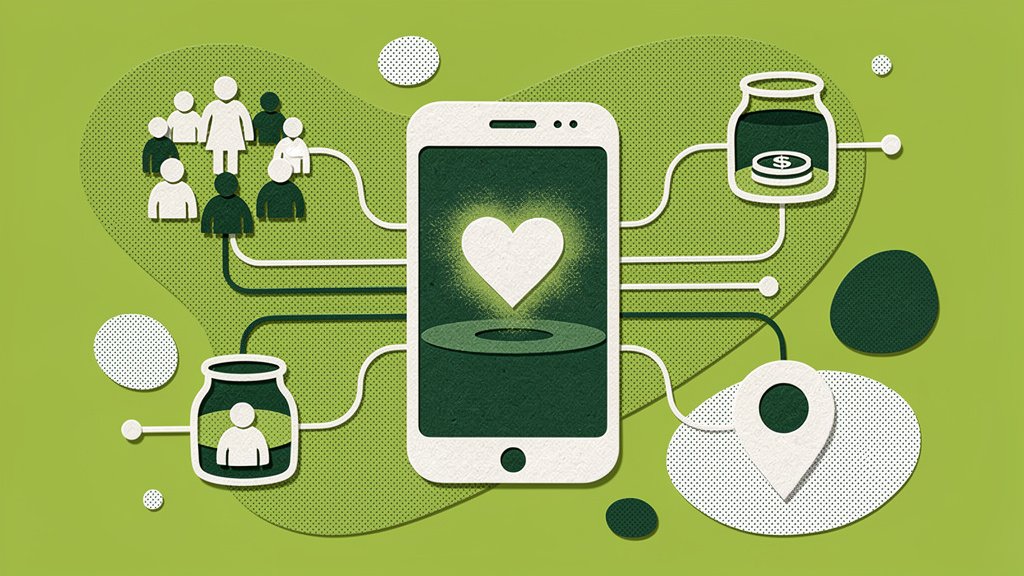
A trivia night, town festival, or school game night has a certain magic to it: everyone’s already there, phones in hand, having a good time. So why not use that energy? Instead of passing a donation bucket around the room (awkward, slow, and kind of easy to ignore), you hand people a keyword to text. Seconds later, they’re looking at a donation page for a cause they just heard the emcee talk about. No fumbling for cash, no waiting in line.
We’ve found the best campaigns treat texting like it’s part of the fun, not some ask tacked onto the side of the real event. So let’s walk through how to plan, promote, and wrap up a text-to-give campaign that actually feels like it belongs at your next community gathering, rather than something bolted on at the last minute.
Start With a Clear, Local Goal
Here’s the thing: “support our nonprofit” doesn’t get anyone reaching for their phone. A specific dollar amount tied to something people can picture, though? That works. Think:
- $5,000 to stock the town food pantry,
- $2,500 for youth sports equipment,
- $750 to fix the playground.
For a game night fundraiser, connect the goal to whatever’s already happening: trivia night funds the library, school game night pays for field trips, a community sports event covers uniforms or scholarships. Stick to one main campaign, so your emcee, volunteers, and signage are all singing the same tune all night long.
Choose the Right Text-to-Give Setup
“Text-to-give” sounds like one thing, but it’s really a handful of moving parts working together. Most often, a guest texts a keyword to a number, gets an automated reply with a link to a mobile donation form, and finishes the gift right there on their phone. Funraise breaks it down like this: keyword, automated reply and link, mobile form, processed donation.
| Consideration | Ask this |
|---|---|
| Keyword | Short, spellable, and relevant to your event? |
| Donation page | Fast-loading, mobile-optimized, digital wallet support? |
| Fees | Platform, processing, keyword, or overage fees? |
| Data | Do you get donor name, email, phone, and consent record? |
| Reporting | Can you track this event’s gifts separately, in real time? |
Funraise reports a 50% mobile donation-form conversion rate on its own forms (Funraise). That number’s specific to their platform, sure, but it makes a good point: the donation page itself, not just the clever keyword, is what actually turns a text into a gift.
Protip: ask any vendor for a full written cost breakdown, not just the shiny advertised monthly fee. Get the texting, keyword, and data-export costs in writing too. Platforms like Funraise offer a free tier alongside paid plans, so you can test the whole workflow risk-free before you go all in for a bigger event.
Build the Campaign Before Doors Open
Do this weeks ahead, not the night before (trust us on this one):
- pick a memorable keyword (TOWN, HOPE, TIGERS) that won’t get mixed up with someone else’s campaign,
- build the mobile form with your logo, purpose, and a few suggested giving levels ($10, $25, $50, $100) tied to real impact,
- set up automated replies that thank the donor and hand them one clear link,
- tag the campaign with a source code so you can actually find these gifts later,
- test on multiple devices and carriers before the big night, and keep a QR code and paper backup on hand, just in case.
Handle Consent and Privacy Correctly
Look, fundraising texts are regulated communications, and the FCC has been clear: nonprofits get no blanket exemption from consent rules for autodialed texts (FCC). So keep records of when and how someone opted in, and treat “event reminder” consent and “fundraising text” consent as two separate things. If someone texts “STOP” or “UNSUBSCRIBE,” honor it immediately. No exceptions.
A donor who voluntarily texts your keyword asking for a donation link is a completely different scenario than someone who got added to a list without ever agreeing to it. Don’t assume registration data gives you the green light for fundraising SMS. It doesn’t, at least not automatically.
Protip: put your consent language right next to the sign-up field, not buried three clicks deep in a privacy policy. And keep a screenshot of whatever version of the form was live at the time.
Promote It All Night Long
People need to hear the ask more than once, that’s just how it goes. So build a rhythm around the event’s natural breaks:
| Moment | Message | Where |
|---|---|---|
| Before arrival | “Text TOWN to give” | Confirmation email, social |
| Check-in | Instructions + QR code | Registration desk |
| Opening | Explain the mission and goal | Emcee announcement |
| Midpoint | Share progress | Screen, emcee update |
| Closing | Thank donors, share results | Emcee + follow-up text |
Every announcement should answer three simple questions: What do I text? Where? What will my gift actually do? Funraise’s own research on text messaging cites a 99% open rate (Funraise), a good reminder that a well-timed SMS cuts through the noise, even at a loud, crowded event.
Try This Prompt
Want a li’l help planning out your announcements and messaging cadence? Copy this into your favorite AI assistant (ChatGPT, Gemini, Claude, or Perplexity):
I'm running a text-to-give fundraiser at a [event type: town festival / trivia night / school game night] to raise [dollar goal] for [cause or program]. Write a 4-part promotion script for an emcee to use [before, during, and after the event] that explains the keyword, the impact of a gift, and creates urgency without being pushy. Also suggest how a platform like Funraise.org could help me track campaign-specific donations and automate the thank-you messages in real time.Honestly, it’s worth using tools like Funraise that build AI right into the fundraising workflow, so you’re not bouncing between five different apps trying to piece the full picture together.
Common Challenges We See Before Nonprofits Switch
We hear the same handful of headaches from nonprofit teams before they get their setup dialed in:
- the keyword works, but the form doesn’t convert. Guests text in with enthusiasm, then bail on a slow or cluttered donation page,
- nobody can find event-specific gifts in the reports. Skip the campaign tag, and staff end up spending days after the event manually sorting through donations,
- the thank-yous never go out, because the receipt system and the CRM were never talking to each other in the first place.
“Text-to-give only works when the technology disappears and the community connection is what people remember.”
Funraise CEO Justin Wheeler
Make the Fundraiser Part of the Game
Turn giving into something people can actually see happening:
- community thermometer updated after each round,
- matching challenge during a 10-minute window,
- unlockable goal: hit $2,500 and add a bonus round or raffle,
- reverse raffle: every donor gets equal entry regardless of gift size (double-check your local raffle rules before you commit to this one).
One thing to skip, though: announcing individual donor names or amounts without asking first. Keep the energy collective, not singled out.
Manage the Live Night
Assign roles ahead of time: a campaign lead, an emcee, someone watching transactions come in, a tech lead handling links and Wi-Fi, and a couple of volunteers ready to answer questions. And if a keyword doesn’t work for someone, don’t make them keep retrying, just hand them the backup QR code or short URL right away.
Protip: never let a volunteer handle a donor’s card entry, that’s just asking for trouble. They can walk someone through the steps, sure, but the donor should be the one controlling their own device and payment.
Close the Loop After the Final Score
Within 24 hours, send a thank-you with the preliminary total raised and what it’s going to fund. Reconcile your text-to-give report against your payment processor, check for opt-outs and failed payments, and export donor data according to your consent records.
Then, within one to three weeks, follow up again, this time with a real impact update: a photo, a short story, something that shows people what their gift actually did. Funraise notes its platform customers see 73% growth in average online donation and revenue growing roughly 3x faster than industry benchmarks (Funraise), figures specific to their own data, but they point to something bigger: the follow-up is where a one-night text turns into a real, ongoing donor relationship.
The Real Payoff
Text-to-give at a town event isn’t just about collecting gifts a little faster (though that’s nice too). It’s the bridge between an offline gathering and a relationship that keeps going online long after the lights come up. Get the setup right, promote it consistently, follow the rules, and actually close the loop, and your next game night stops being a one-off event. It becomes the start of a much longer conversation with your community.
About the Author


15 creative raffle ideas for nonprofits that beat the standard ticket draw
A raffle can feel like the easiest fundraiser in the book: sell some tickets, pull a name, hand over a prize. But if that's all you're doing, you're probably leaving money and (more importantly) relationships on the table. The nonprofit raffle ideas that actually work don't just move tickets, they create little moments of anticipation,…

Volunteer surveys: 20 questions to ask the week after the event (free template)
Volunteers show up, do the work, and then go home with a mental list of everything that could've gone smoother than they'll probably never mention… unless you actually ask. They're the ones who noticed the check-in table causing a bottleneck, or that a shift ran forty minutes past what anyone expected. That kind of insight…

Best Event Fundraising and Ticketing Software for Nonprofits Running Small Community Events
Most event software advice is written for black-tie galas. Here is the honest comparison for a pancake breakfast, a fun run, or a benefit at the brewery.